 T w e n t y S i d e d


I recently picked up and started playing Clair Obscur: Expedition 33. I’ve been really enjoying it so far. It’s the French-est thing I’ve ever seen or experienced, which is novel to me. Like, it’s aggressively French. The Eiffel Tower, mimes, French curse words, berets… Add some sexually aggressive men and some wine and you’d basically be in Paris. The visuals are beautiful. The combat system is the most engaging turn-based system I’ve played since The Legend of Dragoon. The story, at least from what I’ve seen so far, is incredibly interesting. I do find myself a bit frustrated every time I pick up the controller, however.
I’ll be the first to admit, I’m no expert navigator. I use my GPS to get around pretty much everywhere outside of the few places I frequent in my area. I disassociate and pretend to pay attention to directions that are given to me like they aren’t basically in a foreign language. I do my best to learn routes and landmarks and I get by okay. However in video games I typically don’t have that problem. Typically if there’s a free roam element to games there is an accompanying mini map or map screen that allows you to set waypoints to follow. It has become so ubiquitous that I now rarely even think about it. I just press the menu button, find my destination, and go. So when I’m playing this fun new game which has themes of adventure and exploration, I feel a little frustrated when I roam around areas and get completely lost.
All that Expedition 33 gives you for navigation is a compass. You are told a general direction to head and sent off to figure it out. In the overworld you’re given a map to look at, albeit rather devoid of details. Why is this a problem? I like to complete games. It’s my thing. It’s hard to complete an open world game when you can get easily turned around and have very little idea of which paths that you’ve already explored. Worse than that, though, is that I feel punished for checking out cool features in levels. If I spend a bit of time looking at something neat I can end up turned around entirely. I’m almost lucky in that regard, though.
I’m convinced my wife would circle her own ass until she collapsed into a black hole if the GPS satellites all went offline one day. She’s an intelligent, talented, wonderful woman, but she couldn’t navigate her way down a one way street. Take a person like her and plop her into a game like this and it would turn her off of it immediately. A lack of a navigation system almost becomes an accessibility feature at that point. And honestly I think we have hit a point where a proper map system should be expected in modern game design, like the mostly homogenized twin joystick control system for FPSs on console. It’s outdated to expect people to memorize your maps when you can make it 1000 times easier on them to give them the ability to navigate in your game world when it’s larger than a certain size. I’ve dealt with the days of mapping levels and worlds by drawing on paper in real life. I don’t want to go back to it.
I’m still enjoying Expedition 33, but I’d like it a hell of a lot more if I didn’t get lost every few minutes while I try to fully explore the levels. I enjoy the game and despite it’s flaws and peculiarities that come with being a smaller game company. It feels a lot like a game made by an ex-Ubisoft team because it is. And Ubisoft isn’t exactly known for perfection. I’ll enjoy what I have. I’ll just be a whiny baby about it until I finish the game off and nobody can stop me.

TitleWhat’s Inside Skinner’s Box?
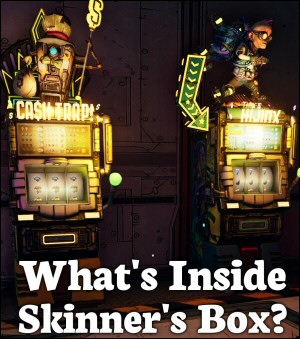
What is a skinner box, how does it interact with neurotransmitters, and what does it have to do with shooting people in the face for rare loot?
Are Lootboxes Gambling?
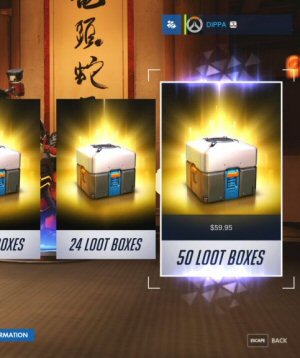
Obviously they are. Right? Actually, is this another one of those sneaky hard-to-define things?
Quakecon 2012 Annotated

An interesting but technically dense talk about gaming technology. I translate it for the non-coders.
The Loot Lottery
What makes the gameplay of Borderlands so addictive for some, and what does that have to do with slot machines?
Bethesda NEVER Understood Fallout
Let's count up the ways in which Bethesda has misunderstood and misused the Fallout property.
Hint: while it won’t help you find all the nooks and crannies, the main path is always marked by a path of light of some sort.
Yessir! I appreciate that design choice and how common it has become. Much better option that yellow paint being all over the place.
Oh yeah, quite a lot of my time in several levels was just figuring out which way was forward. If there was a compass I didn’t even notice it (I feel like that’s a patch addition). I’ve completed it a few times, and every time through I miss a dungeon because they’re buried in a cranny of the world map I didn’t realize was there. My second time through, I found an entire checkpoint flag in a main level, that I hadn’t seen the first time.
Of course, I like that kind of thing. Jimmy and the Pulsating Mass hides dungeons inside other dungeons and it’s great. You get to the end of a game and discover there’s still more game.
(Warping between checkpoint flags might help; they’ll always face you forward. So, like, go forward, hit the flag, warp back and explore. Although the optional levels usually only have the one. Flag.)
A disturbingly increasingly likely possibility these days, whether through enemy action or Kessler cascade.
I haven’t played CO:E33, but I’m with you on mini-maps. And I say that as someone with, in general a really good spatial sense and navigational ability. Whenever I travel somewhere new I look it up on a map and familiarize myself with the route such I could find my way there and back without needing GPS. However, I still prefer using GPS to navigate, and one of my favorite features of my car (such that I miss it when driving other vehicles) is the little map it shows on the center console with my position indicated – my own real-life mini-map, in a sense. Mapping can be fun (like in the Shadowdark dungeon-crawler campaign I played last year), and I can see why a lack of it can help with immersion for e.g. Half-Life 2, but it also consumes mental bandwidth which I’d often rather spend on other parts of the experience.
On a semi-related note, one thing that I, as a dual-monitor user, think would be neat would be games that let you pop the mini-map out into a separate window which you could stick on your second monitor to have without it taking up space in your main playing area.
I would love having the ability to use dual monitor setups as utility pieces like for minimaps or HUD elements that you don’t want clogging up your main screen.
Playing Horizon Zero Dawn, I had to turn off all of the map markers to make the game more fun. Sure, then I can’t see where actual people are against the background of a million details, but actually finding where I need to get to becomes a case of actually using the map, rather than following a yellow marker in a line, which I just don’t find all that fun. I turned off almost as much as possible and it made it a lot more compelling, needing to look back at the map to understand the layout of the place. There is a great video called Thief vs AAA Gaming on YouTube that decries quest markers in many circumstances – preferring the game to be designed in such a way to be navigable and learnable. I definitely fall into the trap of just staring at the minimap until my dot reaches the quest dot. But no doubt they can be implemented well. I don’t remember having an issue with having a minimap in a GTA-type game (I’m thinking Mercenaries). There’s enough left to the imagination perhaps that it still feels like fun navigation when you’re tracking things / people down. Gosh Mercenaries had a great theme tune.
Octopath Traveler had an odd compromise; it’s got a minimap that shows the location of landmarks, but the rest of the map is blank. So you can see where to go, but not how to get there.
I like the sound of that to be honest. I suppose HZD with most of the HUD markers turned off is similar.
Horizon Zero Dawn does a lot of great things but the devs cluttered the hell out of that UI in general.
Also I still say “special delivery” the way the chopper pilot says it in Mercenaries. It has such a weird pleasant slur and accent to it that I can’t help myself.
That’s a good idea for a post – best minimaps in games. I’m always impressed by the ones in Jedi Fallen Order, and Survivor. No minimap in the original Thief games but the maps were great, gave you a general idea of which zone you were in, and looked hand-drawn enough to be nice and thematic.
Man I’d love to do an article like that but I’m TERRIBLE about remembering cool details of that nature. I know one of my favorite details is when survival horror games, particularly Resident Evil Remake, would color code areas that have are undiscovered, been discovered but not fully looted, and fully completed. Not exactly a thematic win but gave my brain a rest from the frantic rooting around for supplies.
This was a deliberate design choice by the developer, and for this game, I am strongly in favour of it.
When you have a minimap, you are often not actually looking at the scenery beyond a simple glance. The lack of minimap actually forces you to look around to work out where you need to go. I noticed details I never would have noticed in a normal game, simply because my eyes were not glued to the top right.
Another commenter mentioned about how the light hints at the correct way to go, once you work it out (which happened for me originally) you get a lot less lost (as I confess my sense of direction is also poor).
I do understand the frustration to some extent, but to me this was one of the more beautiful touches in the game.
I totally understand and respect that idea but I think a happy medium would be a map you can pull up via the start menu. When playing RE9 I got turned around a lot in the nursing home area and had to reference that map regularly so I was glad it was there.